Trans Tech Truck Repairs
We designed and built a complete multi-portal digital ecosystem for one of Ontario's most trusted truck repair facilities — giving customers, management, and mechanics each their own dedicated workspace to streamline the entire repair workflow.
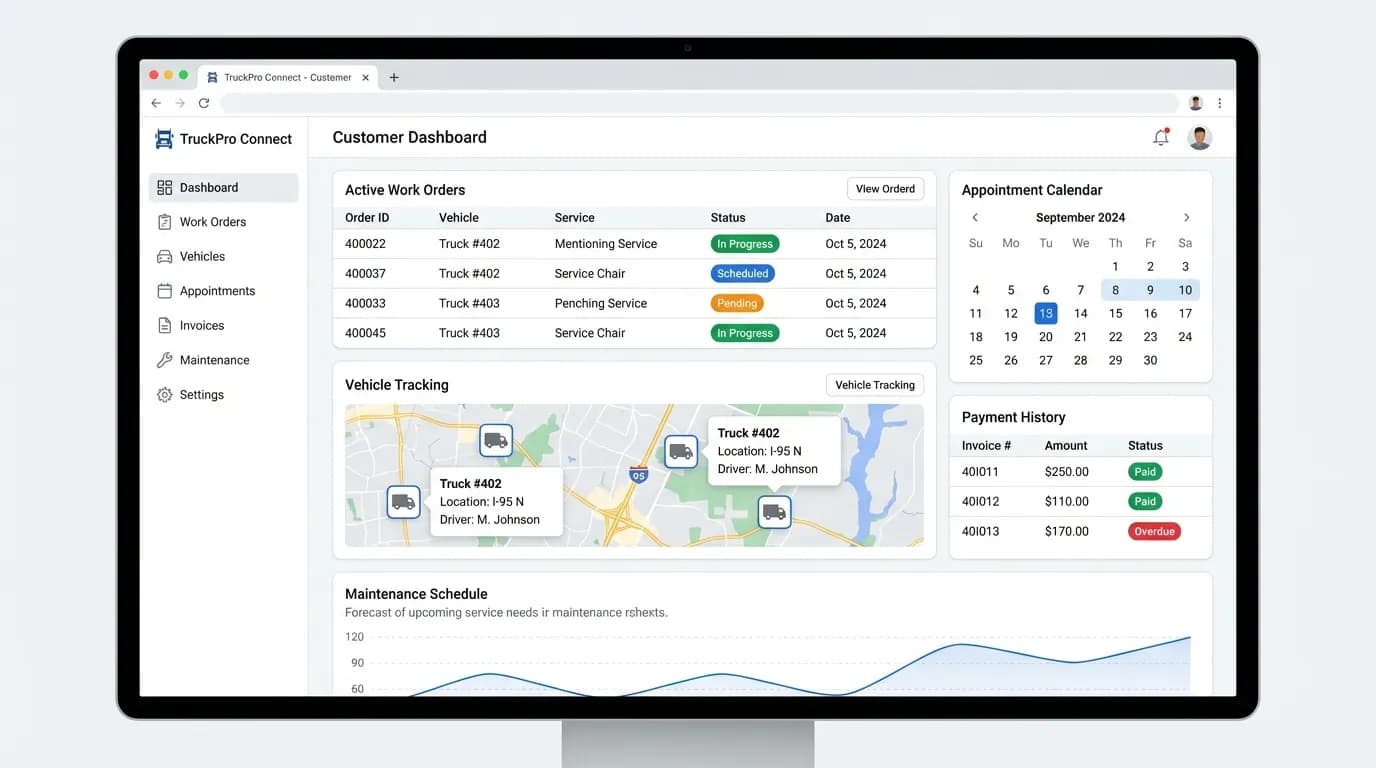
Customer Dashboard Portal
Fleet managers track work orders, appointments & payments in one place
The Challenge
Trans Tech had been serving 500+ fleet operators across Ontario for over 15 years, but their entire workflow was manual. Customers called in for appointments, mechanics got jobs on paper clipboards, and management juggled spreadsheets to keep track of it all. Information was siloed, updates were slow, and the team was losing hours every week to coordination overhead.
They needed a unified digital platform — not just a website, but a connected ecosystem where every stakeholder has their own portal and information flows automatically between them.
The Solution
We built a three-portal ecosystem that connects every part of the business:
- Customer Portal — Self-service work orders, live tracking, payments
- Business Portal — Centralized management, scheduling, analytics
- Mechanic App — Mobile job queue, time logging, photo docs
- AI Chat Assistant — 24/7 inquiry handling for new customers
- Real-time sync across all three portals
- Automated notifications & compliance tracking
Three Portals, One Workflow
Every role in the business gets a purpose-built interface — designed for their specific needs, connected to everyone else in real time.
Customer Portal
Fleet managers and individual customers get a dedicated portal where they can submit service requests, track active work orders in real time, view their vehicle history, manage upcoming appointments, and handle payments — all without picking up the phone.
- Submit & track work orders in real time
- Full vehicle service history & records
- Online appointment booking & reminders
- Invoice viewing & payment processing
- Maintenance schedule recommendations
- Direct messaging with service advisor
Business Portal
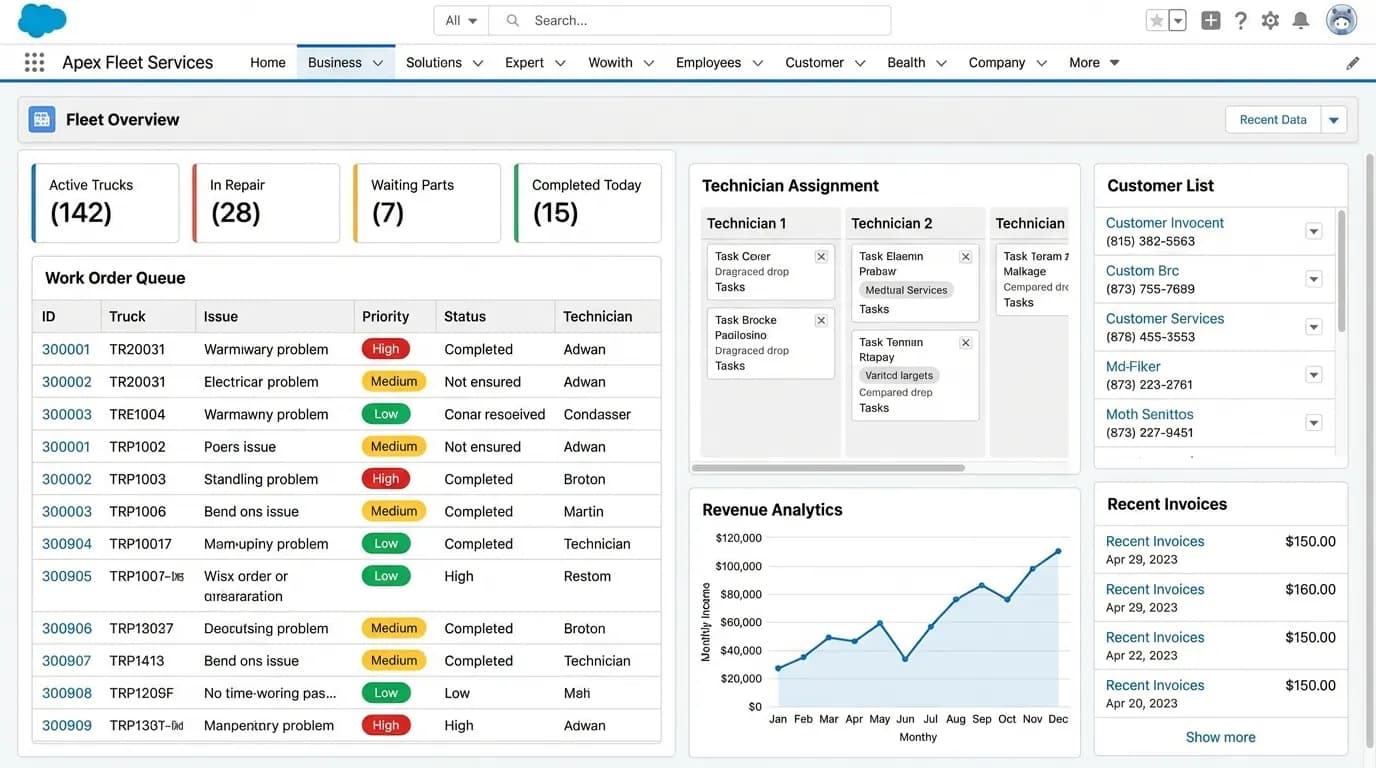
The management team runs the entire operation from a centralized dashboard. They can view all incoming jobs, assign mechanics, track fleet compliance deadlines, monitor revenue, generate reports, and manage customer relationships — everything in one place.
- Centralized work order management queue
- Technician assignment & scheduling board
- Revenue analytics & financial reporting
- Fleet compliance tracking (MTO/DriveON)
- Customer relationship management (CRM)
- Automated notifications & reminders
Mechanic App
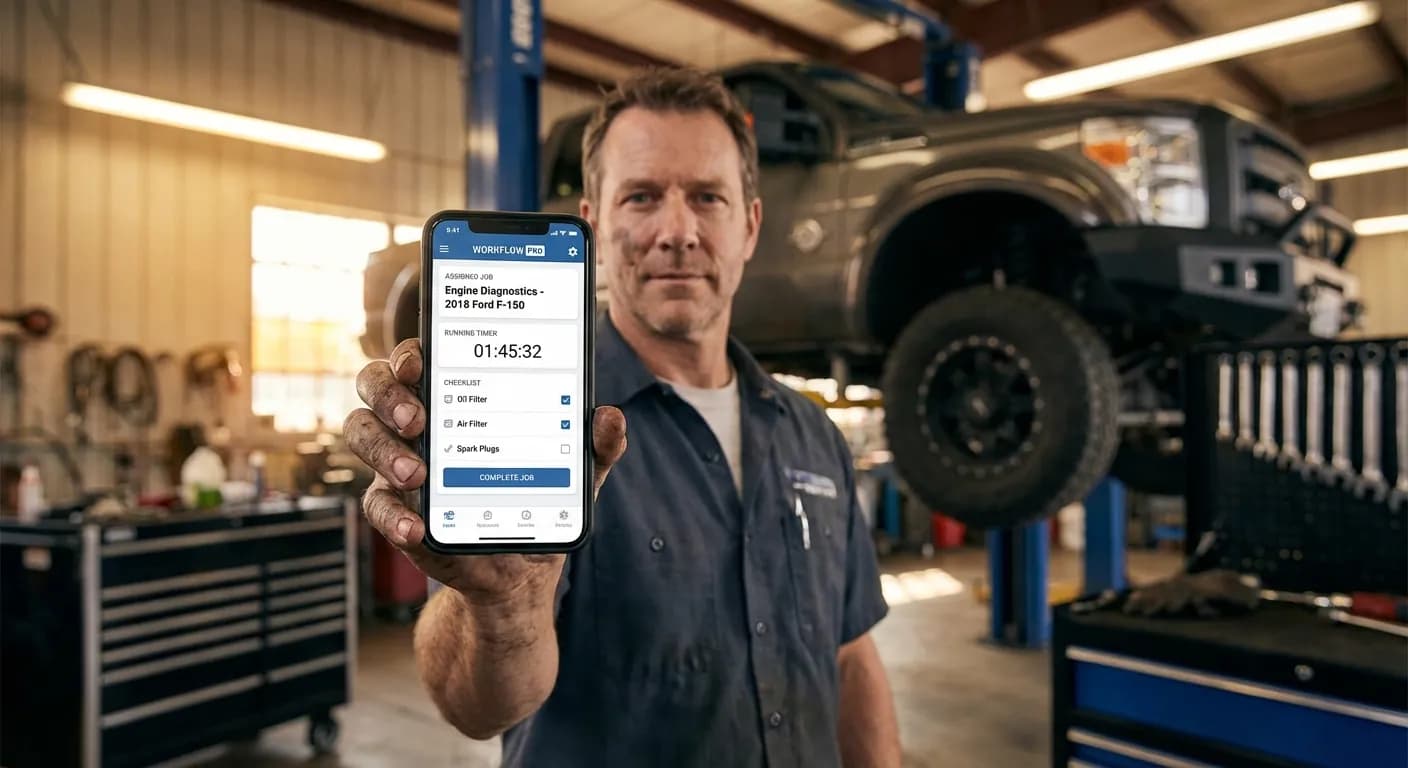
Technicians on the shop floor use a mobile-optimized app to receive job assignments, log time on each task, check off parts used, upload inspection photos, capture digital signatures on completion, and communicate with dispatchers in real time.
- Mobile job queue with priority sorting
- Time tracking & labor logging per job
- Parts checklist & inventory lookup
- Photo documentation & upload
- Digital signature capture on completion
- Real-time chat with dispatch & advisors
Business Management Portal
Mechanic Mobile App
Connected in Real Time
All three portals sync instantly. When a customer submits a request, it appears on the business dashboard within seconds. When a mechanic updates job status, the customer sees it immediately. No phone calls, no waiting.
End-to-End Workflow
Customer Submits Request
Fleet manager logs into their portal, submits a repair request with vehicle details, urgency level, and preferred date.
Business Reviews & Assigns
Management dashboard receives the request, creates a work order, assigns it to the right technician based on skill and availability.
Mechanic Receives & Executes
Technician gets the job on their mobile app, clocks in, works through the parts checklist, documents progress with photos.
Customer Gets Updates
Throughout the process, the customer sees live status updates in their portal — from 'In Queue' to 'In Progress' to 'Ready for Pickup'.
Completion & Payment
Mechanic captures a digital signature, the invoice auto-generates, and the customer pays directly through their portal.
Built for Scale & Reliability
The platform handles hundreds of concurrent users across all three portals. Real-time sync is powered by WebSockets, the AI chat assistant handles after-hours inquiries 24/7, and the entire system is optimized for mobile-first usage on the shop floor.
“MP Studio gave us a website that finally matches the quality of our work. The AI chat assistant handles inquiries even after hours, and our fleet customers love how easy it is to find the information they need.”
Need a Complete Business Management ERP?
Streamline your entire operation with a custom ERP. From AI-driven customer portals to automated payroll and heavy-duty inventory management.